I am a large fan of the Colorize tool in GIMP. In most maps I create, colors have been adjusted for many things to either fit the setting better or to change contrast between foreground and background items, or just adding variety.
Below are some of my presets that I find useful to have available. For the rock recolors, I tend to use them as is to be consistent across maps. But for hair, using these bases then making small adjustments to Saturation and Lightness can give a wide range of variety for characters and NPCs.
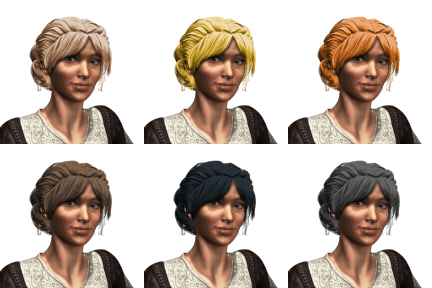
Hair – Light Brown
Hue: 0.0776
Saturation: 0.3400
Lightness: -0.200
Hair – Yellow Blonde
Hue: 0.1221
Saturation: 0.6800
Lightness: -2.000
Hair – Red
Hue: 0.0730
Saturation: 0.7200
Lightness: -0.300
Hair – Brown
Hue: 0.0776
Saturation: 0.2400
Lightness: -0.600
Hair – Dark
Hue: 0.5800
Saturation: 0.1800
Lightness: -0.800
Hair – Dark Greying
Hue: 0.5800
Saturation: 0.1000
Lightness: -0.600
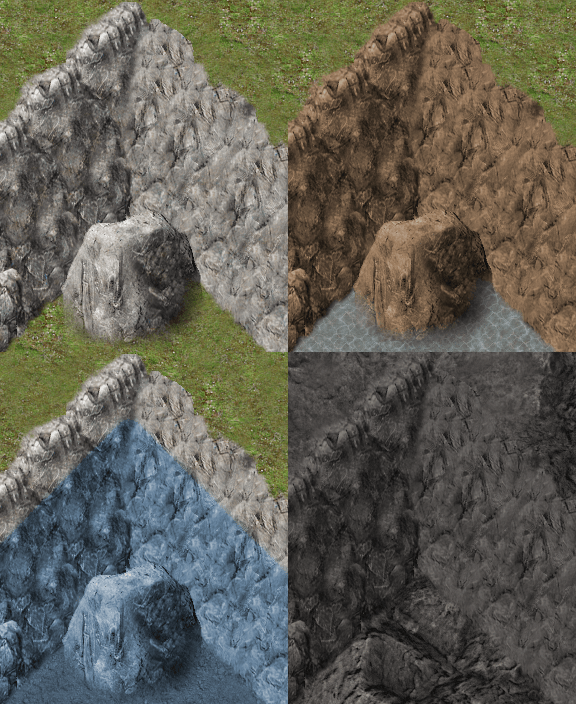
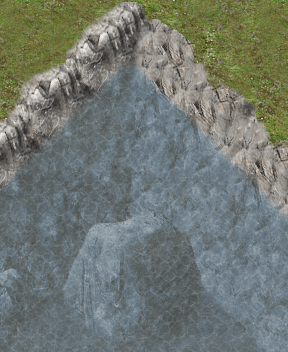
Rock Recolors always start with the original grey cliff tiles. The Underwater recolor can be applied to anything that will sit below the surface of the water. I use this one with a semi-transparent water layer over it.
Rocks – Brown
Hue: 0.0800
Saturation: 0.2400
Lightness: -0.300
Rocks – Under Water
Hue: 0.5785
Saturation: 0.2093
Lightness: -0.122
Rocks – Infernus
Hue: 0.0552
Saturation: 0.0320
Lightness: -0.465
 Zyph's Game Design